Getting Started#
What is MagTrack?#
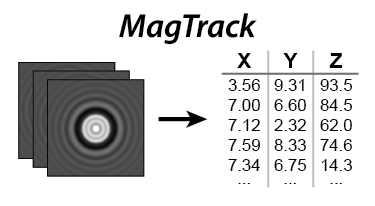
MagTrack is a Python package for tracking symmetric beads in single-molecule magnetic tweezers experiments. The library focuses on fast, accurate bead localization and includes an optional GPU acceleration for labs with CUDA-capable hardware.
Key features#
Sub-pixel XYZ coordinates
GPU accelerated (optional, requires a CUDA GPU)
Python notebook included with examples
Documented, tested, and benchmarked
System requirements#
MagTrack requires Python 3.9 or newer as well as recent versions of NumPy and SciPy. Optional GPU acceleration is available through CuPy (CUDA 12.x builds). The package works on Windows, Linux, and macOS. macOS can run the CPU algorithms, but NVIDIA GPU acceleration is only available on platforms with CUDA support.
Python >=3.9
NumPy >=1.26
SciPy >=1.11.1
(Optional) CuPy-CUDA12x >=13.0
Installation#
Install the latest release from PyPI. Include the [gpu] extra if you plan to use CuPy-based GPU acceleration:
pip install magtrack[gpu]
To install only the CPU dependencies:
pip install magtrack
If you intend to use GPU acceleration, make sure that the CUDA Toolkit compatible with your GPU is installed before installing CuPy. Refer to the CuPy installation guide for detailed instructions.
Verify the installation#
After installing, import MagTrack in a Python session and print the version string. This confirms that Python can locate the package and that the compiled extensions were installed correctly:
import magtrack
print(magtrack.__version__)
You can also try a function like center-of-mass, which converts an image stack into x,y bead coordinates:
import magtrack
import numpy as np

stack = np.zeros((10, 10, 3))
x, y = magtrack.center_of_mass(stack)

print(f'x: {x}')
print(f'y: {y}')
Explore the examples#
The examples/examples.ipynb notebook walks through the core functionality, including simulation, tracking, and GPU
acceleration. Download the notebook to run it locally or open it in Google Colab.