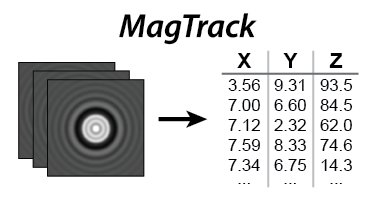
magtrack#
Submodules#
Attributes#
Functions#
|
Return |
|
Compute mean values per bin for 2D arrays, similar to |
|
Calculate the Pearson correlation coefficient between each row of x and y. |
|
Calculate a 1D Gaussian function. |
|
Calculate a 2D Gaussian image. |
|
Takes a 3D image-stack and crops it to the region of interests (ROIs). |
|
Refine local min/max using parabolic interpolation. |
|
Sample 1D profiles along |
|
Compute quadratic-interpolation offsets from three-point samples. |
|
Refine centers using quadratic interpolation along x and y axes. |
|
Calculate x and y by center-of-mass |
|
Recalculate the center of a symmetric object using auto-convolution. |
|
Re-calculate center of symmetric object by auto-convolution sub-pixel fit |
|
Re-calculate center of symmetric object by multi-line auto-convolution |
|
Re-calculate center of symmetric object by multi-line auto-convolution with sub-pixel fit |
|
Calculate the average radial profile about a center |
|
Compute FFT-based radial intensity profiles without pre-filtering. |
|
Compute FFT-based radial intensity profiles using Gaussian weighting. |
|
Calculate the corresponding sub-planar z-coordinate of each profile by LUT |
|
Estimate XYZ coordinates and radial profiles from an image stack. |
|
Calculate image-stack XYZ and profiles (Z is nan if Z-LUT is None) |
|
Perform a more thorough check to ensure CuPy and CUDA are usable. |
Package Contents#
- magtrack.binmean(x, weights, n_bins: int)[source]#
Compute mean values per bin for 2D arrays, similar to
numpy.bincount.Note: CPU or GPU: The code is agnostic of CPU and GPU usage. If the first parameter is on the GPU the computation/result will be on the GPU. Otherwise, the computation/result will be on the CPU.
The input
xis clipped in place so that values aboven_binsfall back within the valid bin range; entries clipped ton_binsare ignored when returning the binned means.- Parameters:
x (2D int array, shape (n_values, n_datasets)) – Input array to bin.
weights (2D float array, shape (n_values, n_datasets)) – Weights associated with
x; should be floating point to allow averaging.n_bins (int) – The number of bins to be used. Values will be binned as integers between 0 and n_bins.
- Returns:
bin_means – Binned average values of weights.
- Return type:
2D float array, shape (n_bins, n_datasets)
- magtrack.pearson(x, y)[source]#
Calculate the Pearson correlation coefficient between each row of x and y.
Note: CPU or GPU: The code is agnostic of CPU and GPU usage. If the first parameter is on the GPU the computation/result will be on the GPU. Otherwise, the computation/result will be on the CPU.
- Parameters:
x (array, shape (n, m)) – 2D array whose columns are correlated with the columns of
y.y (array, shape (n, k)) – 2D array whose columns are correlated with the columns of
x.
- Returns:
r – Pearson correlation coefficients between each column of
yand each column ofx.- Return type:
array, shape (k, m)
- magtrack.gaussian(x, mu, sigma)[source]#
Calculate a 1D Gaussian function.
- Parameters:
x (array_like) – x coordinates where to evaluate the gaussian
mu (float) – Mean (center)
sigma (float) – Standard deviation
- Returns:
1D array containing the gaussian evaluated at x coordinates
- Return type:
array_like
- magtrack.gaussian_2d(x, y, mu_x, mu_y, sigma)[source]#
Calculate a 2D Gaussian image.
Calculates a 2D Gaussian image for each center (mu_x, mu_y) provided along the grid (x, y) all sharing the same sigma in x and y (sigma).
Note: CPU or GPU: The code is agnostic of CPU and GPU usage. If the first parameter is on the GPU the computation/result will be on the GPU. Otherwise, the computation/result will be on the CPU.
- Parameters:
x (1D array) – x coordinates where to evaluate the gaussian
y (1D array) – y coordinates where to evaluate the gaussian
mu_x (1D array) – Mean (center) in x direction for each image (one center per image)
mu_y (1D array) – Mean (center) in y direction for each image (one center per image)
sigma (float) – Standard deviation in x and y direction
- Returns:
3D array of shape
(len(x), len(y), n_images)containing the gaussian evaluated at(x, y)coordinates for each image center- Return type:
array
- magtrack.crop_stack_to_rois(stack, rois)[source]#
Takes a 3D image-stack and crops it to the region of interests (ROIs).
Given a 3D image-stack and a list of ROIs, this function will crop around each ROI and return a 4D array. Note the ROIs must be squares.
Note: CPU or GPU: The code is agnostic of CPU and GPU usage. If the first parameter is on the GPU the computation/result will be on the GPU. Otherwise, the computation/result will be on the CPU. However, it is recommended to use the CPU and then transfer the result to the GPU and perform downstream analysis on the GPU.
- Parameters:
stack (3D ndarray of any type, shape (stack_width, stack_height, n_images)) – Note the images must be square.
rois (2D int ndarray, shape (n_roi, 4)) – Each row is an ROI. The columns are [top, bottom, left, right].
- Returns:
cropped_stack – Same type as input stack
- Return type:
4D ndarray, shape (cropped_width, cropped_width, n_images, n_roi)
- magtrack.parabolic_vertex(data, vertex_est, n_local: int, weighted=True)[source]#
Refine local min/max using parabolic interpolation.
Given an estimated location of a local minimum or maximum, this function fits the surrounding datapoints to a parabola and interpolates the vertex.
Note: CPU or GPU: The code is agnostic of CPU and GPU usage. If the first parameter is on the GPU the computation/result will be on the GPU. Otherwise, the computation/result will be on the CPU.
- Parameters:
data (array of float, shape (n_datasets, n_datapoints)) – Sequence of datasets arranged row-wise for fitting.
vertex_est (array of float, shape (n_datasets,)) – Initial vertex estimates corresponding to each dataset.
n_local (int) – The number of local datapoints to be fit. Must be an odd integer >= 3.
weighted (bool, optional) – Whether to apply a simple weighting procedure to emphasize the more central points in the fit. Default is True.
- Returns:
vertex – Refined vertex locations
- Return type:
array of float, shape (n_datasets,)
- magtrack._qi_sample_axis_profiles(stack, x, y, axis)[source]#
Sample 1D profiles along
axisusing quadratic interpolation support.- Parameters:
stack (3D array_like) – Image stack where the first two axes correspond to
yandxand the third axis indexes frames.x (1D array_like) – Approximate center coordinates for each frame. They must have the same length as the number of frames in
stack.y (1D array_like) – Approximate center coordinates for each frame. They must have the same length as the number of frames in
stack.axis (int) – Axis along which to collect the three-point profile.
0samples the column profile (varyingy);1samples the row profile (varyingx).
- Returns:
Samples of shape
(n_frames, 3)corresponding to offsets of-1,0and+1pixels along the chosen axis.- Return type:
array_like
- magtrack._qi_quadratic_offsets(samples)[source]#
Compute quadratic-interpolation offsets from three-point samples.
- magtrack.qi(stack, x_old, y_old)[source]#
Refine centers using quadratic interpolation along x and y axes.
This routine samples the intensity profiles along the horizontal and vertical axes through the supplied center estimates and performs quadratic interpolation to recover sub-pixel offsets.
Note: CPU or GPU: The code is agnostic of CPU and GPU usage. If the first parameter is on the GPU the computation/result will be on the GPU. Otherwise, the computation/result will be on the CPU. Intermediate values remain on the originating device and the function respects the caller’s backend.
- Parameters:
stack (3D float array, shape (n_pixels, n_pixels, n_images)) – Image stack containing square frames to refine.
x_old (1D float array, shape (n_images)) – Initial estimates of the x coordinates.
y_old (1D float array, shape (n_images)) – Initial estimates of the y coordinates.
- Returns:
Refined
(x, y)coordinates with sub-pixel precision.- Return type:
tuple of array_like
- magtrack.center_of_mass(stack, background='none')[source]#
Calculate x and y by center-of-mass
For each 2D image of a 3D image-stack compute the center-of-mass along the x- and y-axes. To avoid bias from the images’ background, a pre-processing step can be taken to remove the background with the
backgroundkeyword argument. The default,background='none'leaves the data unchanged. Whenbackground='mean'the per-frame mean is subtracted before calculating the center-of-mass. Likewise,background='median'subtracts the per-frame median. This function is faster than the version fromscipyorcupyx.scipy.Note: CPU or GPU: The code is agnostic of CPU and GPU usage. If the first parameter is on the GPU the computation/result will be on the GPU. Otherwise, the computation/result will be on the CPU.
- Parameters:
stack (3D float array, shape (n_pixels, n_pixels, n_images)) – The image-stack. The images must be square.
background (str, optional) – Background pre-processing.
'none'(default) uses the raw data.'mean'subtracts the per-image mean.'median'subtracts the per-image median.
- Returns:
x (1D float array, shape (n_images,)) – The x coordinates of the center
y (1D float array, shape (n_images,)) – The y coordinates of the center
- magtrack.auto_conv(stack, x_old, y_old, return_conv=False)[source]#
Recalculate the center of a symmetric object using auto-convolution.
For each 2D image of a 3D image stack, use the previous center to select the central row and column. Convolve these against reversed versions of themselves (auto-convolution). Then take the maximum as the new center. Optionally, by setting
return_convtoTruethe convolution results can be returned directly, which is useful for sub-pixel fitting.Note: CPU or GPU: The code is agnostic of CPU and GPU usage. If the first parameter is on the GPU the computation/result will be on the GPU. Otherwise, the computation/result will be on the CPU.
- Parameters:
stack (3D float array, shape (n_pixels, n_pixels, n_images)) – The image stack. The images must be square.
x_old (1D float array, shape (n_images,)) – Estimated x coordinates near the true centers.
y_old (1D float array, shape (n_images,)) – Estimated y coordinates near the true centers.
return_conv (bool, optional) – Whether to return the convolutions instead of the updated centers. The default is
False.
- Returns:
Return values differ depending on
return_conv:- If
return_convisFalse - x1D float array, shape (n_images,)
The x coordinates of the center.
- y1D float array, shape (n_images,)
The y coordinates of the center.
- If
return_convisTrue - col_max1D int array, shape (n_images,)
Indices of the maxima of the column convolutions.
- row_max1D int array, shape (n_images,)
Indices of the maxima of the row convolutions.
- col_con2D float array, shape (n_pixels, n_images)
Column convolutions (unchanged orientation).
- row_con2D float array, shape (n_images, n_pixels)
Row convolutions; note the axes are ordered
(n_images, n_pixels).
- If
- Return type:
tuple of ndarray
- magtrack.auto_conv_sub_pixel(stack, x_old, y_old, n_local=5)[source]#
Re-calculate center of symmetric object by auto-convolution sub-pixel fit
For each 2D image of a 3D image-stack: use the previous center to select the central row and column. Convolve these against themselves. Use several points around the maximum of the convolution to fit a parabola and use the vertex of the parabola as the center to find the sub-pixel coordinates.
Note: CPU or GPU: The code is agnostic of CPU and GPU usage. If the parameters are on the GPU the computation/result will be on the GPU. Otherwise, the computation/result will be on the CPU.
- Parameters:
stack (3D float array, shape (n_pixels, n_pixels, n_images)) – The image-stack. Note, the images must be square.
x_old (1D float array, shape (n_images)) – Estimated x coordinates near the true centers.
y_old (1D float array, shape (n_images)) – Estimated y coordinates near the true centers.
n_local (int) – The number of local points around the vertex to be used in parabolic fitting. Must be an odd int >=3.
- Returns:
x (1D float array, shape (n_images,)) – The x coordinates of the center.
y (1D float array, shape (n_images,)) – The y coordinates of the center.
- magtrack.auto_conv_multiline(stack, x_old, y_old, line_ratio=0.05, return_conv=False)[source]#
Re-calculate center of symmetric object by multi-line auto-convolution
For each 2D image of a 3D image-stack: use the previous center to select multiple rows and columns (determined by
line_ratio). Average the resulting signals, convolve them against themselves (auto-convolution) Then take the maximum as the new center. Optionally, by setting return_conv to True the convolution results can be returned directly. This is useful for sub-pixel fitting.Note: CPU or GPU: The code is agnostic of CPU and GPU usage. If the first parameter is on the GPU the computation/result will be on the GPU. Otherwise, the computation/result will be on the CPU.
- Parameters:
stack (3D float array, shape (n_pixels, n_pixels, n_images)) – The image-stack. The images must be square.
x_old (1D float array, shape (n_images)) – Estimated x coordinates near the true centers.
y_old (1D float array, shape (n_images)) – Estimated y coordinates near the true centers.
line_ratio (float, optional) – Fraction of the frame width that determines how many neighbouring lines are averaged before convolution.
return_conv (bool, optional) – Whether to return the convolution or return the new center. The default is False.
- Returns:
tuple – see information below
If return_conv is False –
- x1D float array, shape (n_images,)
The x coordinates of the center
- y1D float array, shape (n_images,)
The y coordinates of the center
If return_conv is True –
- col_max1D int array, shape (n_images,)
The index of the maximum of the column convolution
- row_max1D int array, shape (n_images,)
The index of the maximum of the row convolution
- col_con2D float array, shape (n_pixels, n_images)
The column convolution
- row_con2D float array, shape (n_images, n_pixels)
The row convolution
- magtrack.auto_conv_multiline_sub_pixel(stack, x_old, y_old, line_ratio=0.1, n_local=5)[source]#
Re-calculate center of symmetric object by multi-line auto-convolution with sub-pixel fit
For each 2D image of a 3D image-stack: use the previous center to select multiple rows and columns (determined by
line_ratio). Average the resulting signals, convolve them against themselves (auto-convolution) and use several points around the maximum to fit a parabola. The vertex of the parabola is used to determine the sub-pixel coordinates of the center.Note: CPU or GPU: The code is agnostic of CPU and GPU usage. If the first parameter is on the GPU the computation/result will be on the GPU. Otherwise, the computation/result will be on the CPU.
- Parameters:
stack (3D float array, shape (n_pixels, n_pixels, n_images)) – The image-stack. The images must be square.
x_old (1D float array, shape (n_images)) – Estimated x coordinates near the true centers.
y_old (1D float array, shape (n_images)) – Estimated y coordinates near the true centers.
line_ratio (float, optional) – The ratio relative to the total image width of lines to be used in the convolutions.
n_local (int, optional) – The number of local points around the vertex to be used in parabolic fitting. Must be an odd int >=3.
- Returns:
x (1D float array, shape (n_images,)) – The x coordinates of the center.
y (1D float array, shape (n_images,)) – The y coordinates of the center.
- magtrack.radial_profile(stack, x, y, oversample=1)[source]#
Calculate the average radial profile about a center
For each 2D image of a 3D image-stack: calculate the average radial profile about the corresponding center (x and y). The profile is calculated by binning. For each pixel in an image the Euclidean distance from the center is calculated. The distance is then used to bin each pixel. When
oversampleequals 1 the bin widths are 1 pixel wide; higher values split each native bin into finer1 / oversamplepixel slices. The bins are then normalized by the number of pixels in each bin to find the average intensity in each bin. The number of bins (n_bins) is ((stack.shape[0] // 2) * oversample).Note: CPU or GPU: The code is agnostic of CPU and GPU usage. If the first parameter is on the GPU the computation/result will be on the GPU. Otherwise, the computation/result will be on the CPU.
- Parameters:
stack (3D float array, shape (n_pixels, n_pixels, n_images)) – The image-stack. Note, the images must be square.
x (1D float array, shape (n_images)) – x-coordinates of the center.
y (1D float array, shape (n_images)) – y-coordinates of the center.
oversample (int, optional) – Oversampling factor applied to the radial distances before binning. Increasing the factor multiplies the number of radial bins and thus the resolution of the profile by the same amount. Must be an integer greater than or equal to 1.
- Returns:
profiles – The average radial profile of each image about the center
- Return type:
2D float array, shape (n_bins, n_images)
- magtrack.fft_profile(stack, oversample=4, rmin=0.0, rmax=0.5)[source]#
Compute FFT-based radial intensity profiles without pre-filtering.
Each image is transformed via a real 2D FFT, and the magnitude spectrum is azimuthally averaged into oversampled radial bins that correspond to the requested normalized frequency range. Unlike
fft_profile_with_center(), this routine does not apply Gaussian weighting or require bead center coordinates.- Parameters:
stack (array_like, shape (n_pixels, n_pixels, n_images)) – Image stack to profile. The images must be square with an even width.
oversample (int, default=4) – Radial oversampling factor (>=1) applied when binning FFT magnitudes.
rmin (float, default=0.0) – Minimum normalized radial frequency (0–0.5 Nyquist) to keep in the returned profile.
rmax (float, default=0.5) – Maximum normalized radial frequency (0–0.5 Nyquist) considered when building the radial profile.
- Returns:
profile – Oversampled radial magnitude profiles for each image, sliced to the bins corresponding to the radial range
[rmin, rmax].- Return type:
array_like, shape (n_selected_bins, n_images)
- magtrack.fft_profile_with_center(stack, x, y, oversample=4, rmin=0.0, rmax=0.5, gaus_factor=6.0)[source]#
Compute FFT-based radial intensity profiles using Gaussian weighting.
The images are first weighted in-place by a 2D Gaussian centered at the requested locations. A real 2D FFT is then evaluated for each weighted image, and the magnitude spectrum is azimuthally averaged into oversampled radial bins.
- Parameters:
stack (array_like, shape (n_pixels, n_pixels, n_images)) – Image stack to profile. The images must be square with an even width. This array is modified in-place by Gaussian weighting prior to the FFT step.
x (array_like, shape (n_images,)) – X-coordinates of the Gaussian centers in pixel units.
y (array_like, shape (n_images,)) – Y-coordinates of the Gaussian centers in pixel units.
oversample (int, default=4) – Radial oversampling factor (>=1) applied when binning FFT magnitudes.
rmin (float, default=0.0) – Minimum normalized radial frequency (0–0.5 Nyquist) to keep in the returned profile.
rmax (float, default=0.5) – Maximum normalized radial frequency (0–0.5 Nyquist) considered when building the radial profile.
gaus_factor (float, default=6.0) – Divisor controlling the Gaussian width relative to the image size.
- Returns:
profile – Oversampled radial magnitude profiles for each image, sliced to the bins corresponding to the radial range
[rmin, rmax].- Return type:
array_like, shape (n_selected_bins, n_images)
- magtrack.lookup_z(profiles, zlut, n_local=7)[source]#
Calculate the corresponding sub-planar z-coordinate of each profile by LUT
For each image’s profile in
profiles: find the best matching profile in the Z-LUT (lookup table). The lookup table stores a leading row of z-coordinates and radial profiles below; the first radial bin corresponds to the central pixel and is ignored during correlation (hencezlut[2:, :]). Fits the local points around the best matching profile to find sub-planar fit in between columns of the LUT.Note: CPU or GPU: The code is agnostic of CPU and GPU usage. If the first parameter is on the GPU the computation/result will be on the GPU. Otherwise, the computation/result will be on the CPU.
- Parameters:
profiles (2D float array, shape (n_bins, n_images)) – The average radial profile of each image about the center
zlut (2D float array, shape (1+n_bins, n_ref)) – The reference radial profiles and corresponding z-coordinates. The first row (
zlut[0, :]) holds the z-axis values. The remaining rows contain the reference radial profiles produced byradial_profile(); their first bin (zlut[1, :]) is skipped to avoid the central pixel when matching.n_local (int, optional) – The number of local points around the vertex to be used in parabolic fitting. Must be an odd int >=3. Default is 7.
- Returns:
z – z-coordinates
- Return type:
1D float array, shape (n_images)
- magtrack.stack_to_xyzp(stack, zlut=None)[source]#
Estimate XYZ coordinates and radial profiles from an image stack.
This convenience wrapper orchestrates the CPU/GPU-agnostic pipeline used throughout MagTrack: the x and y are first estimated with
center_of_mass(), refined withauto_conv(), further refined by five iterations ofauto_conv_multiline_sub_pixel(), and then converted into radial profiles viaradial_profile(). When a Z-look-up table is provided,lookup_z()translates those profiles into axial coordinates; otherwise, NaNs are returned for the z.Note: CPU or GPU: The code is agnostic of CPU and GPU usage. If the first parameter is on the GPU the computation/result will be on the GPU. Otherwise, the computation/result will be on the CPU.
- Parameters:
stack (array-like, shape (n_pixels, n_pixels, n_images)) – 3-D image stack containing square images. The array can reside on the CPU (NumPy) or GPU (CuPy).
zlut (array-like, shape (1 + n_bins, n_ref), optional) – Radial-profile look-up table whose first row stores the reference z-positions and remaining rows contain the corresponding template profiles. If omitted, the axial coordinate output is filled with NaNs.
- Returns:
x (1D float array, shape (n_images)) – x-coordinates
y (1D float array, shape (n_images)) – y-coordinates
z (1D float array, shape (n_images)) – z-coordinates or a NaN array when
zlutis Noneprofiles (2D float array, shape (n_bins, n_images)) – The average radial profile of each image about the center
- magtrack.stack_to_xyzp_advanced(stack, zlut=None, **kwargs)[source]#
Calculate image-stack XYZ and profiles (Z is nan if Z-LUT is None)
- Parameters:
stack (3D float array, shape (n_pixels, n_pixels, n_images)) – The image-stack. Note, the images must be square. It is expected it is in the regular CPU memory. It will be transferred to the GPU.
zlut (2D float array, shape (1+n_bins, n_ref), optional) – The reference radial profiles and corresponding z-coordinates. The first row (zlut[0, :]) are the z-coordinates. The rest of the rows are the corresponding profiles as generated by radial_profile. It is expected it is already in the GPU memory. The defualt is None.
**kwargs (dict, optional) –
Additional keyword arguments controlling individual processing stages. The following keys are recognised:
"center_of_mass"(dict, default{}): forwarded tocenter_of_mass()."auto_conv"(dict, default{}): forwarded toauto_conv()."n auto_conv_multiline_sub_pixel"(int, default5): number ofauto_conv_multiline_sub_pixel()refinement iterations."auto_conv_multiline_sub_pixel"(dict, default{}): forwarded toauto_conv_multiline_sub_pixel()."use fft_profile"(bool, defaultFalse): whenTruecompute profiles withfft_profile_with_center(); whenFalsecompute profiles withradial_profile()."fft_profile"(dict, default{}): forwarded tofft_profile_with_center()whenuse fft_profileisTrue."radial_profile"(dict, default{}): forwarded toradial_profile()whenuse fft_profileisFalse."lookup_z"(dict, default{}): forwarded tolookup_z()whenzlutis provided.
- Returns:
x (1D float array, shape (n_images)) – x-coordinates
y (1D float array, shape (n_images)) – y-coordinates
z (1D float array, shape (n_images)) – z-coordinates
profiles (2D float array, shape (n_bins, n_images)) – The average radial profile of each image about the center