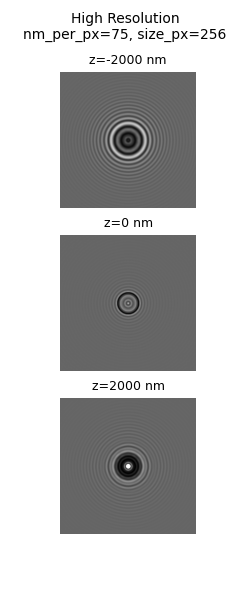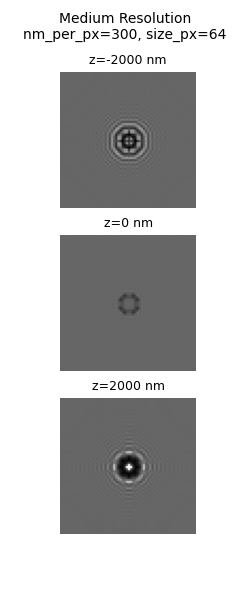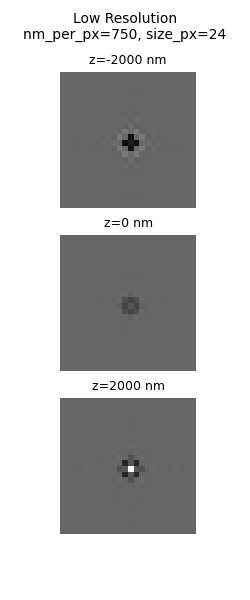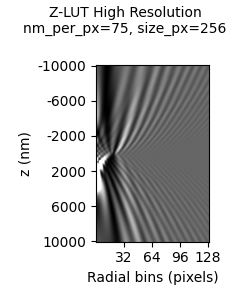
Simulation Guide#
Use magtrack.simulation to generate synthetic bead stacks and Z-LUTs for tutorials, benchmarking, or validating your
analysis workflow. The examples below show the minimal inputs required to create stacks and capture both
lateral and axial motion.
Quick start#
import numpy as np
from magtrack.simulation import simulate_beads

# Define some motion (x, y, z in nanometers)
frames = 120
x_true = np.linspace(-150, 150, frames)
y_true = 80.0 * np.sin(np.linspace(0, 2 * np.pi, frames))
z_true = np.zeros_like(x_true)
xyz_true = np.column_stack([x_true, y_true, z_true])

# Render a 64x64 pixel stack at 500 nm/px
stack = simulate_beads(xyz_true, size_px=64, nm_per_px=500.0)

# ``stack`` now has shape (64, 64, 120) and contains a single bead drifting and oscillating over time.
import numpy as np
from magtrack.simulation import simulate_zlut

# Define some z-reference values (in nm)
z_min = -10000 # nm
z_step = 100   # nm
z_max = 10000  # nm
z_ref = np.arange(z_min, z_max+1, z_step)

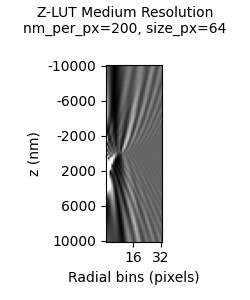
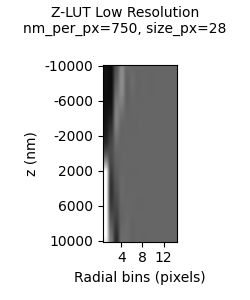
# Render a Z-LUT for beads with 64x64 pixel stack at 500 nm/px
# This generates a Z-LUT for profiles generated with radial_profile and oversample=1
zlut = simulate_zlut(z_ref, size_px=64, nm_per_px=500.0, oversample=1)
Tips for clean simulations#
Keep properties like
nm_per_pxconsistent between simulations and downstream analysis to avoid scale mismatches.The simulation works best with larger image sizes (
size_px >= 64px).The simulation is far from perfect. The wrong combination of parameters can unrealistic images of beads. Start with the default simulation values and work your way towards what you want to simulate.
Examples#